
Android
ADMH
ADMH stands for All-Day-Memory Harness, a memory app for Android. Turn on All-day memory to continuously transcribe conversations in the background, then revisit what was said by topic or day.
All-day memory
Recollections and assistant
Capture conversations
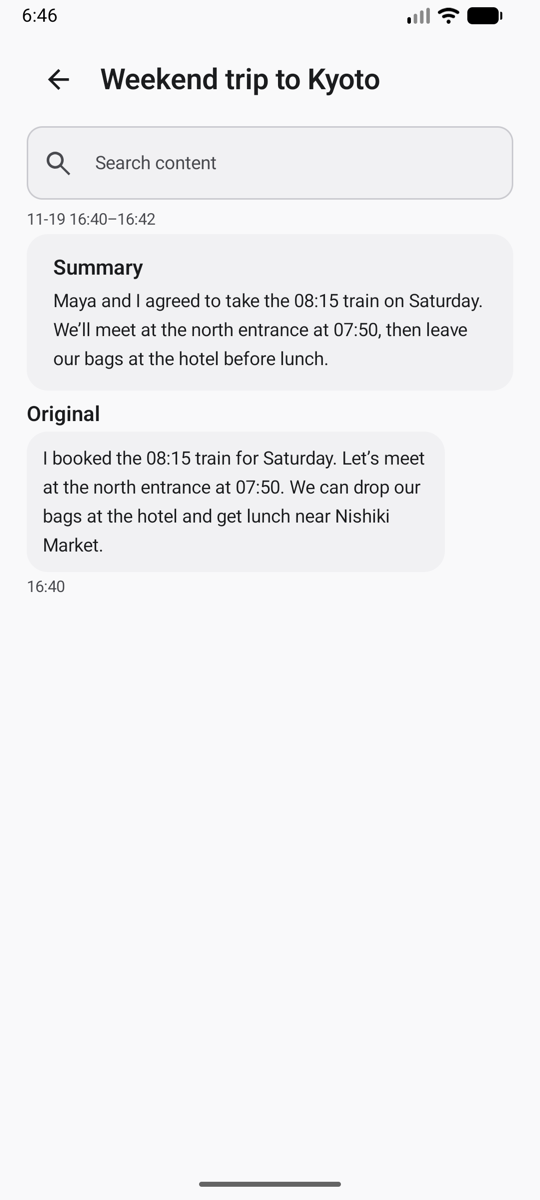
With All-day memory on, ADMH transcribes speech while you use other apps. Each segment includes a timestamp so you can find when a decision was made.
Browse by topic
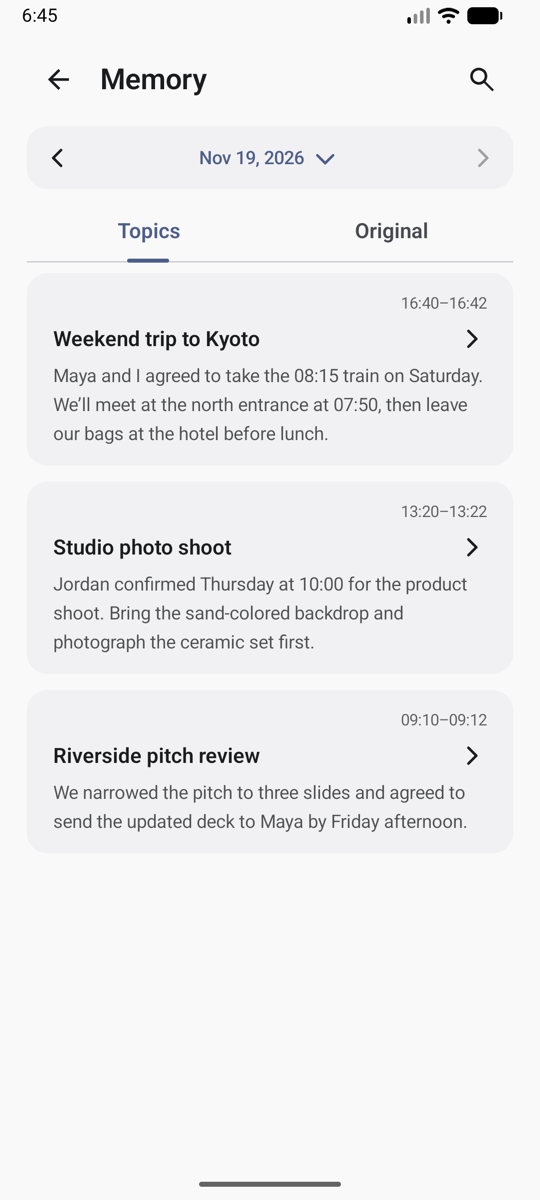
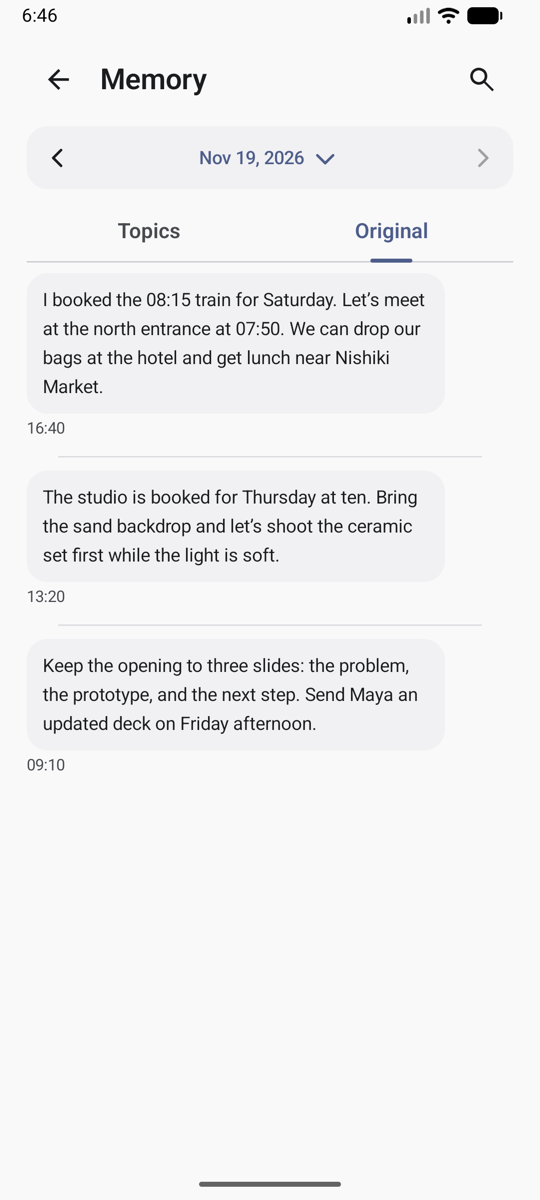
ADMH groups related exchanges into topics and gives each topic a title and summary. Open a topic to read the original transcript, or switch to Original to browse the day’s transcript, newest first.
Review a completed day
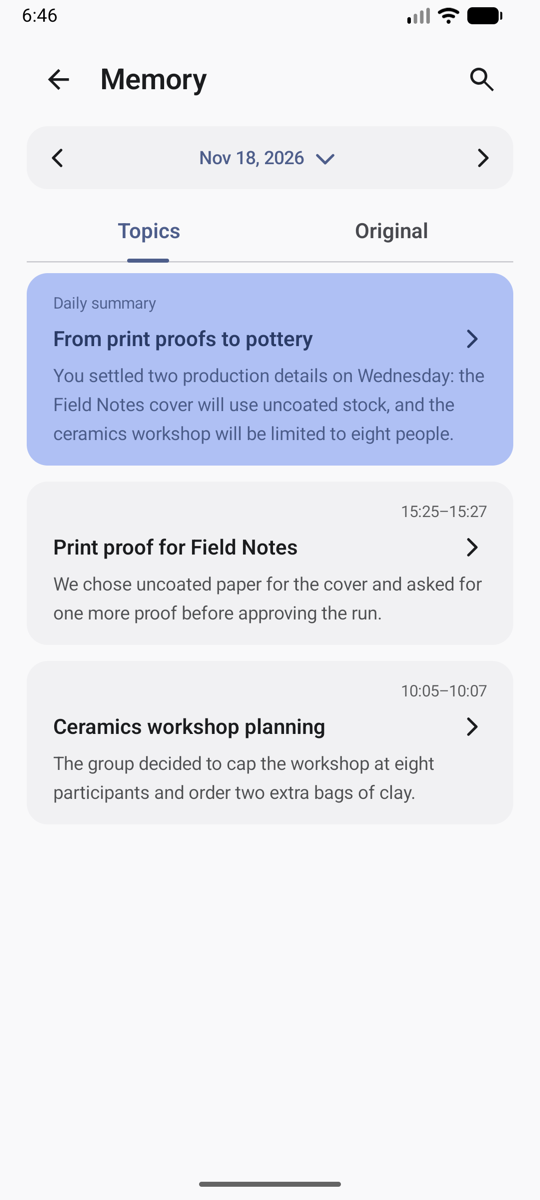
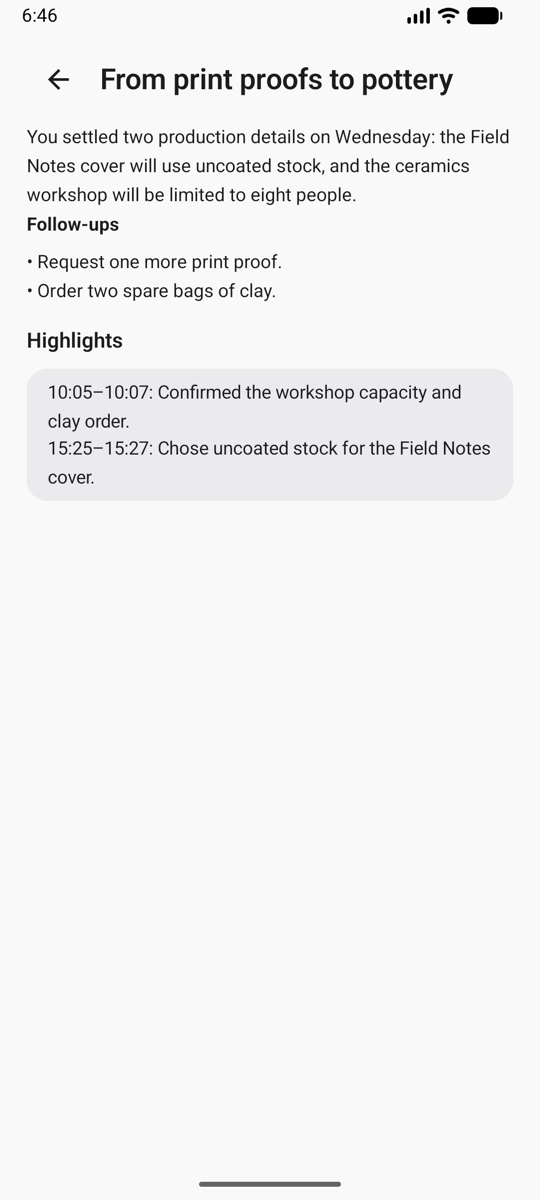
For completed days, ADMH summarizes decisions and follow-ups. Highlights include time ranges so you can locate the relevant conversation.
Keep the details you’ll need
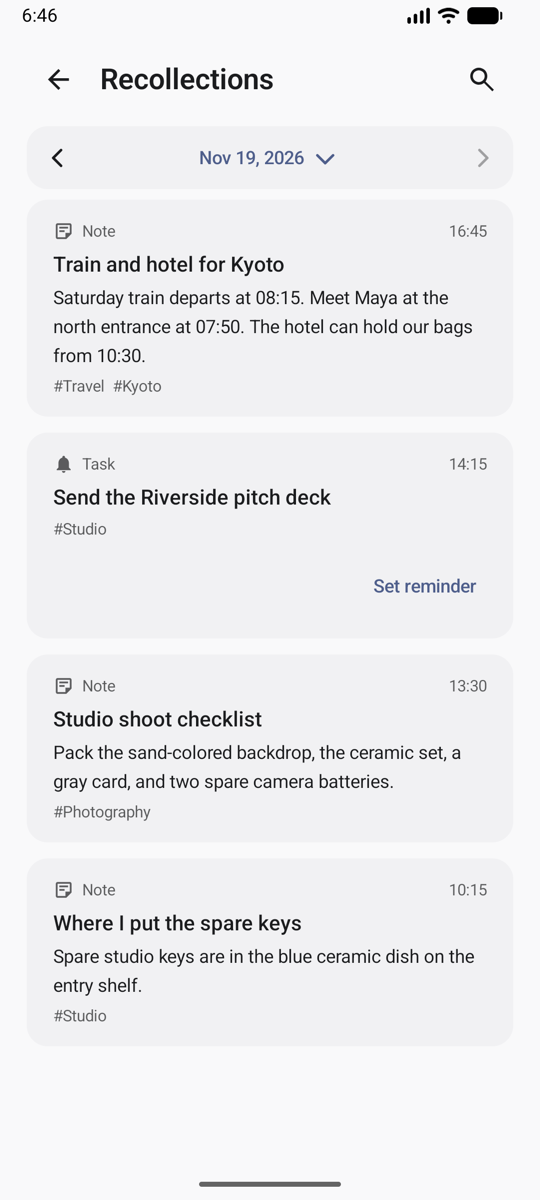
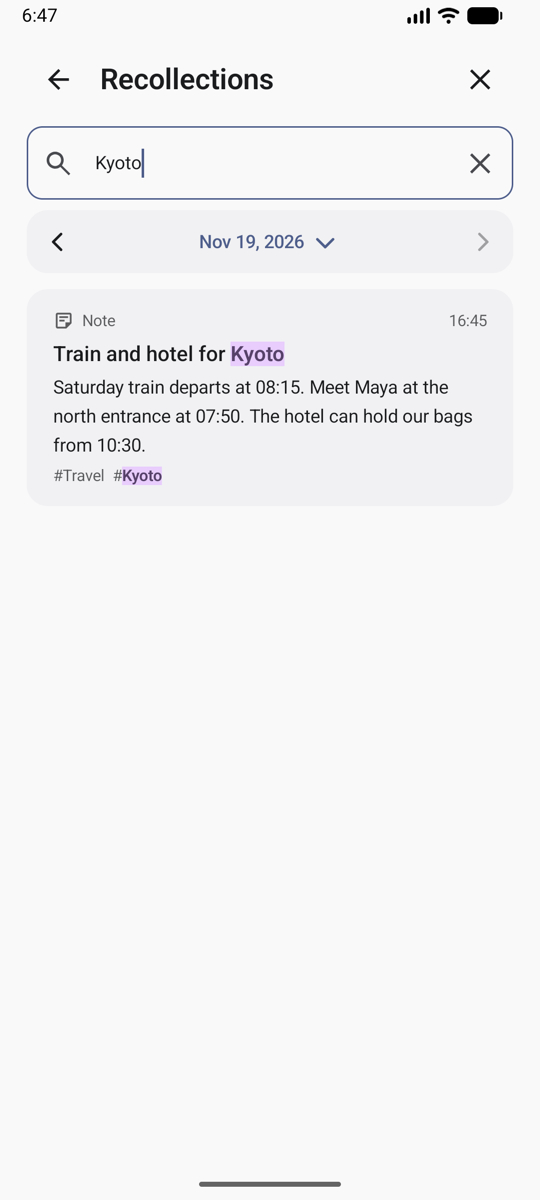
ADMH can pull notes, tasks, item locations, income and expenses, and measurements from conversations into Recollections cards. Search for a detail, review a task, or set a reminder.
Ask about something you remember
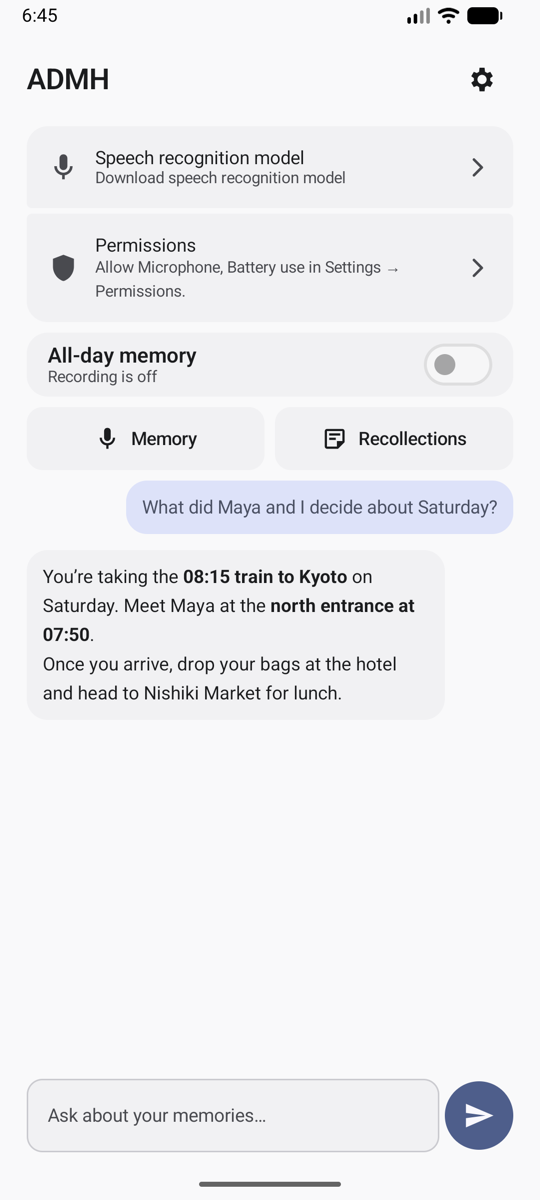
Ask what you agreed to or where you put an item. The assistant can search your transcripts, topics, and saved cards for the answer.
FAQ
What do I need to run ADMH?
You’ll need a 64-bit ARM device running Android 11 or later. Setup requires Android permissions, local model downloads, and an AI provider that supports the OpenAI Responses API with function calling.
Where is my data processed?
ADMH runs speech transcription, speaker recognition, and search indexing on your device, where it also stores your memory database. For chat and background AI tasks such as summarization, ADMH sends relevant text to the model provider you configure.
What’s the difference between Topics and Original?
Topics shows summaries of related exchanges. Original shows the timestamped transcript with the wording and context.
What can I search?
Use search to find a transcript, topic, or Recollections card on the selected day. Ask the assistant to look across past conversations, saved cards, or earlier chats.